EUDI Wallet And ID Sharing
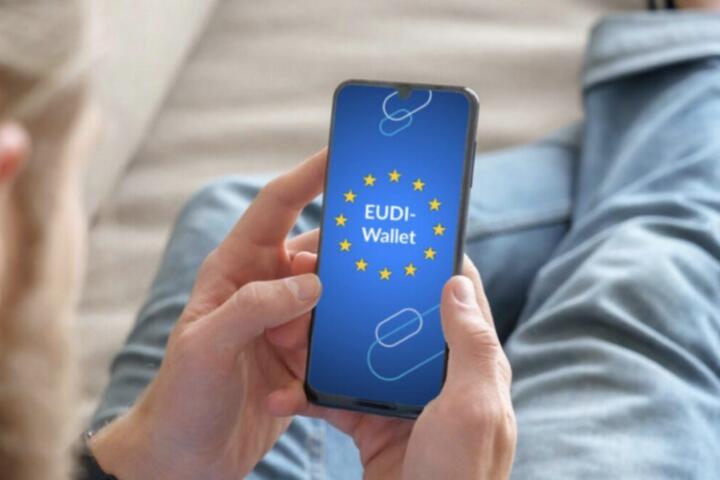
EUDI Wallet refers to a European approach for digital identity, where a wallet app can present verified attributes to services after user consent. The safety question comes down to what gets shared, how it gets shared, and what remains on your device versus what gets sent to a third party. With plain ID sharing, a service often receives a copy of a document or a full set of identifiers, which can be reused elsewhere if it leaks. With a wallet flow, the service may receive only the specific claim it needs, such as age range or eligibility status, while the wallet keeps the underlying credentials under tighter control.
In health-related contexts, the difference matters because many services request more data than they strictly need. A clinic portal might ask for full document images, while a verified-attribute approach can reduce the amount of personal data transferred for routine tasks like appointment booking or eligibility checks. The practical goal is to reduce unnecessary exposure of document numbers, MRZ lines, or full identity images that can be used for account takeover attempts.
Where People Misjudge The Risk
People often treat “digital identity” as a single product, then assume the wallet automatically makes every interaction safer. The risk model is more granular. Document sharing creates a durable artifact (a file or a full identifier set) that can be copied, stored, and reused. Wallet-based sharing can reduce that artifact, but only if the service requests minimal data and the wallet actually supports selective disclosure and verified claims.
Another common mistake is ignoring dependencies. A wallet experience depends on the device security posture, the wallet provider’s design choices, the credential issuance method, and the relying party’s integration. If a service still asks for a full document upload, the wallet does not remove that exposure. If a wallet is used on a compromised phone, consent prompts do not stop malware from initiating requests or reading what the user enters.
There is also a consent illusion. Even when a wallet presents only claims, the relying party can still infer information from the combination of claims. For example, “over 18” plus “resides in region X” plus “has a specific entitlement” can narrow identity more than a single claim alone. That inference risk exists whether the data comes from a document scan or a wallet, though the wallet can reduce the amount of raw identifiers sent.
Finally, many users focus on the wallet app and forget the surrounding flow. A health portal might still require account creation with an email address or phone number, and those identifiers can become the real target for phishing. I noticed this pattern while testing a sample identity flow in a sandbox environment (wallet build 1.2.0, dated 2026-03-14): the identity claim was clean, but the login still relied on a separate contact channel that attackers can target.
What To Do For Safer Sharing
Choose Minimal Claims
When a service offers a wallet-based flow, look for the exact attributes requested. Prefer flows that ask for a narrow purpose, such as “age over 18” or “eligibility for service,” rather than “full identity document.” If the interface shows multiple items, select only what matches the task. If the service cannot explain why it needs a specific attribute, treat that as a red flag and use an alternative channel when available.
Practical outcome: fewer shared identifiers usually means fewer opportunities for document-number reuse. In real deployments, the difference often shows up in what ends up in logs and exports. A service that receives a claim token instead of a document image typically stores less raw personal data, though retention rules still vary by organization.
Harden Your Device First
Wallet safety depends on the phone or computer that runs it. Use a strong device lock, keep the OS updated, and avoid installing wallet apps from unofficial sources. Turn on biometric unlock only if it matches your threat model; a PIN still matters when biometrics fail or when someone coerces you to unlock. If you use a work profile or separate browser profile, keep the wallet in the profile you actually control.
Realistic numbers are hard because compromise rates vary by region and user behavior, but device hardening consistently reduces the chance that malware can intercept identity flows. A small aside from my own workflow: I keep a dedicated browser profile for identity logins and disable extensions there, because extensions are a frequent source of data leakage in general web sessions.
Verify The Relying Party
Before approving a wallet request, confirm the domain and the organization name shown in the consent screen. Attackers can mimic portals, and a wallet consent prompt does not automatically prove the relying party is legitimate. If the consent screen shows a generic description like “identity verification” without the service identity, stop and check the service URL from a trusted entry point.
Practical method: open the service in a separate tab from a bookmarked link or from the organization’s official website, then compare the relying party details shown during the wallet prompt. If the details do not match, do not approve the request.
Control Session And Account Links
Even with safer identity sharing, account security still matters. Use unique passwords for health portals, enable multi-factor authentication when offered, and watch for account recovery flows that rely on email or SMS. If a portal lets you link identity claims to an account, review whether it stores the claim permanently or only uses it for verification at login.
Outcome expectation: you reduce the blast radius if a phishing email compromises your mailbox. Wallet claims can reduce identity-document exposure, but they do not stop attackers from targeting the account layer that still uses email, phone, or password reset.
Educational Case Examples
Clinic Appointment Eligibility
A person schedules an appointment through a clinic portal. The portal offers two options: upload an ID document image or use a wallet to share a verified entitlement claim. The person chooses the wallet flow and selects only the entitlement attribute needed for the appointment type. The portal receives a claim-based verification result rather than a document image, so the person’s document number is not stored in the same way.
Later, the person receives a phishing email asking them to “reconfirm identity” by uploading a document. Because they already understand the wallet flow, they recognize the mismatch: the clinic’s legitimate process uses wallet consent, not document uploads via email links. They report the message and avoid sharing data through the phishing channel.
Pharmacy Refill Verification
A pharmacy requires proof of eligibility for a subsidized refill. The service requests a wallet claim for eligibility status and a separate claim for age range. The user approves only those claims and declines any optional attributes. The pharmacy can verify eligibility without receiving a full identity document scan, which reduces the chance that a document artifact leaks through the pharmacy’s systems.
In this scenario, the remaining risk shifts to account security. If the user’s email account is compromised, an attacker may still attempt to change refill preferences or request delivery updates. The user mitigates this by enabling multi-factor authentication on the email account and reviewing recent login activity.
Decision Checklist For Users
| Situation | What You Share | Main Risk | User Action |
|---|---|---|---|
| Document upload | Full ID image or full identifiers | Artifact reuse if leaked or mishandled | Use wallet/claim flow when available; minimize copies |
| Wallet claim flow | Verified attributes after consent | Over-broad claims or relying party mismatch | Select minimal claims; verify domain/organization |
| Account login still required | Email/phone/password or MFA | Phishing and account takeover | Harden email; enable MFA; review recovery settings |
Step-by-step checklist for a wallet approval: 1) Confirm the relying party name and domain on the consent screen. 2) Compare requested attributes with the task. 3) Decline optional claims you do not need. 4) Approve only on a trusted device session. 5) After approval, check the portal for what it stores or displays, such as whether it shows a document number.
Common Mistakes That Undermine Safety
Approving a wallet request without reading the attribute list is a frequent failure mode. Consent screens can be short, and users may click through because the prompt looks familiar. A better habit is to pause for one extra second and confirm the claim type matches the action.
Another mistake is assuming a wallet removes all data sharing. Some services still require account identifiers, and some workflows still involve uploading documents for edge cases. If a portal asks for a document scan after you used wallet verification, treat that as a sign to ask what the scan is for and whether the service can accept a claim instead.
Users also underestimate phishing that targets the approval step. Attackers can send links that lead to a fake relying party page, then trigger a wallet prompt. If the consent screen shows a relying party that does not match the service you intended to use, the safest move is to cancel and navigate from a trusted source.
Finally, people sometimes reuse the same email and password across multiple health and non-health services. That reuse turns a wallet improvement into a smaller part of the overall risk picture. When one account is compromised, attackers can pivot to reset credentials on the health portal.
FAQ
Does A Wallet Always Replace ID Uploads?
No. Some services still request document images for specific workflows, exceptions, or legacy systems. Wallet-based sharing reduces exposure when the service supports verified claims for that exact use case.
Can A Wallet Prevent Identity Theft?
It can reduce the chance of document-number reuse from leaked uploads, but it does not stop all identity fraud. Account takeover via email, phone, or passwords remains a separate risk path.
What Data Gets Shared During A Wallet Flow?
Typically the relying party receives only the requested verified attributes after user consent. The exact set depends on the service integration and the wallet’s capabilities, so the consent screen is the best place to check what is being requested.
Is Consent Enough To Stop Fraud?
Consent helps, but it does not prove the relying party is legitimate. Users still need to verify the organization and domain shown during the prompt and cancel when details look wrong.
How Should I Handle A Compromised Phone?
Stop using the wallet immediately, change credentials for the accounts tied to the wallet-enabled services, and contact the wallet provider or relevant support channel for recovery steps. If the device is lost, follow the device vendor’s lock and wipe procedures first.
Author's Insight
EUDI Wallet safety depends less on the label and more on the data flow: whether the relying party receives a document artifact or only a verified attribute, and whether the user can select minimal claims. Device security and account security often dominate the real-world risk, because malware and phishing target the session layer and recovery channels. Evidence from general identity security practices supports the idea that reducing raw identifier sharing lowers reuse risk, but the exact privacy outcome varies by service integration and retention policies. If you want a practical test, compare what the portal stores or displays after a wallet login versus after an ID upload, then adjust your choices accordingly.
Key Takeaways
- Wallet-based sharing can reduce exposure by sending verified attributes instead of full ID artifacts, but it depends on the service integration.
- Device hardening and account security (email/phone/password/MFA) often matter as much as the wallet itself.
- Read the consent prompt, verify the relying party details, and select only the claims needed for the task.
- Expect edge cases where document uploads still happen, and treat unexpected requests as a prompt to ask what the service needs.