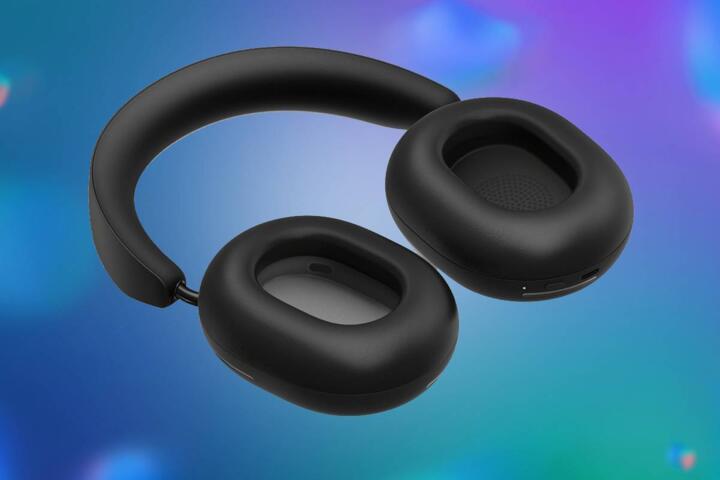
How ANC Quieting Works
Active noise-canceling (ANC) headphones reduce external sound by generating an opposing signal that targets specific noise frequencies. The headset uses microphones to measure incoming sound, then a digital processor estimates the noise waveform and drives the speaker with an inverted version. This approach works best for steady, low-frequency noise such as HVAC hum or airplane cabin rumble, because the noise changes more slowly than speech and sudden impacts.
Two evidence-based facts anchor the expectations. First, ANC typically performs strongest in the low-frequency range; many consumer measurements show meaningful attenuation below roughly 1 kHz, while higher frequencies often receive less benefit. Second, the effectiveness depends on fit and seal: a poor seal can reduce passive attenuation and also change the acoustic path the ANC system tries to cancel. In practice, a snug seal can matter as much as the ANC algorithm, which is why “ANC on” does not automatically mean “quiet everywhere.”
ANC also differs from passive noise isolation. Passive isolation comes from physical materials and ear-cup design that block sound, while ANC adds an active counter-signal. You can think of ANC as a targeted cancellation layer on top of the baseline isolation from the ear cushions and headband pressure.
Pain Points And Myths
People often expect ANC to remove all noise, including voices, keyboard clicks, and intermittent alarms. ANC struggles with sounds that change quickly or originate from many directions at once, because the system must predict and cancel the waveform in real time. Speech contains rapid amplitude and frequency changes, so the cancellation signal that helps one moment can miss the next.
Another frequent misunderstanding involves “noise-canceling” versus “hearing protection.” ANC can reduce perceived loudness, but it does not guarantee a safe sound level. If you listen at high volume, you can still exceed safe exposure limits; ANC mainly reduces the need to raise volume in the first place. For context, the U.S. National Institute for Occupational Safety and Health (NIOSH) recommends limiting continuous noise exposure to 85 dBA for 8 hours, with lower limits for longer exposures; consumer ANC does not replace those safety calculations.
Supporting technologies also shape results. The microphones can be placed on the ear cup (external feedforward) and/or inside the ear canal (feedback). Feedforward systems measure the incoming sound before it reaches the driver, while feedback systems sense the residual sound after cancellation. Many consumer models use a mix, and the exact design affects how well ANC handles different noise sources.
Fit and anatomy add another dependency. Ear-canal geometry, ear-cushion compression, and whether you wear glasses or have a thick headband can change the seal and the way sound reflects into the microphone. A version number on the app screen—like “Firmware 2.3.1” on a recent model—can also change ANC behavior after updates, which is why two units of the same brand may not feel identical.
Solutions And Practical Advice
Dial In Fit And Seal
Start with fit because it sets the baseline for passive isolation and the acoustic conditions ANC needs. For over-ear models, adjust the headband so the ear cups press evenly without causing pain after 20–30 minutes. For in-ear models, try multiple tip sizes and confirm that the tips do not feel loose when you open your mouth or turn your head.
Use a quick check: play music at a moderate level, then pause it and listen to a steady background source like a fan. If the “quiet” effect disappears when you move, the seal likely changes and ANC has less to work with. This is one reason people report strong results at home and weaker results on public transit, where head movement and wind noise change the acoustic scene.
Match ANC Mode To Noise
Many headphones include multiple ANC modes such as “Transport,” “Office,” or “Adaptive.” Choose the mode that matches the dominant noise type. Transport modes often target low-frequency rumble, while office modes may tune for a narrower band of steady noise. If your model offers an adaptive mode, test it in a controlled setting for a few minutes; adaptive tuning can feel inconsistent when the noise source changes quickly, and some users find that mildly annoying.
Also check for a transparency mode that switches microphones to the outside. Transparency does not cancel noise; it trades cancellation for awareness. If you use transparency while walking near traffic, keep the volume lower than you would with ANC on, since the outside sound path is active.
Set Volume With Safety In Mind
ANC reduces background noise, which can tempt you to raise volume. A safer approach is to set volume with ANC on, then keep it at a level where speech remains audible at a distance you can tolerate. If you use a smartphone, check the volume limiter settings in your operating system; on iOS, the “Reduce Loud Sounds” feature can cap peaks, and on Android, many devices include a similar safety option.
For long sessions, take micro-breaks. Even if ANC reduces perceived loudness, the driver still produces sound energy at the ear. A practical rule: if you notice ringing after use, reduce volume and shorten sessions, then reassess fit and ANC mode.
Update Firmware And Calibrate
Manufacturers sometimes adjust ANC tuning through firmware updates. If your app shows a recent update date—such as “2026-02-14”—review the release notes for ANC or microphone changes. Some models include a calibration routine that measures your ear fit or adjusts internal parameters; run it when you change tip sizes or after a long period of storage.
Calibration rarely fixes a bad seal, but it can improve how the system handles residual sound. If the app offers a “wear detection” toggle, leave it on so the headset can switch processing when you remove and reinsert it.
Real Use Case Examples
Scenario 1: Commuter with engine hum. A commuter rides a train with steady low-frequency vibration and occasional announcements. They choose the transport ANC mode, fit the ear tips to a snug seal, and set volume so announcements remain audible at a distance. The result: cabin rumble drops noticeably, while announcements still cut through, which matches the known limits of ANC for speech-like transients.
Scenario 2: Office worker near intermittent chatter. An office worker sits near a hallway where people talk and doors close. They switch to an office or adaptive mode and keep volume moderate. ANC reduces the constant background noise from ventilation, but it does not remove the sharp peaks from doors and voices; the worker relies on passive isolation from the ear cushions and uses short breaks when the environment becomes too variable.
ANC Checklist And Tradeoffs
| Decision Point | What To Expect | What To Check | Practical Outcome |
|---|---|---|---|
| Noise Type | Best for steady low-frequency sounds | Test with fan/engine hum, not speech | More reduction where the noise stays consistent |
| Fit And Seal | Strong effect on results | Try tip sizes; adjust ear cup pressure | Stable “quiet” during head movement |
| Volume Behavior | ANC does not guarantee safe exposure | Use OS volume limits; monitor comfort | Lower background noise without raising peaks |
| Mode Selection | Different tuning for different environments | Compare “Transport” vs “Office” | Fewer surprises when noise changes |
If you want a step-by-step checklist, use this order: confirm seal, choose the mode that matches the noise type, set volume with ANC on, then re-check fit after 10 minutes. If the effect fades, treat it as a fit problem before blaming the ANC algorithm.
Mistakes That Break Results
One mistake involves using ANC as a substitute for hearing protection in loud settings. If you work near power tools or attend concerts, ANC headphones do not replace certified hearing protection such as earmuffs or earplugs with known noise reduction ratings. Perceived quiet can lead to longer exposure, which can raise risk.
Another mistake is ignoring comfort and seal stability. Ear cushions that press too hard can cause discomfort, leading you to loosen them and lose the seal. Loose seal reduces passive attenuation and changes the residual sound the ANC system tries to cancel, which can create the sensation of “thumping” or inconsistent quiet.
People also over-trust marketing claims without checking test conditions. ANC performance depends on the noise spectrum, microphone placement, and whether the test uses a standardized coupler or a human ear. If a review only reports a single number without describing the frequency range, treat it as less actionable.
Finally, some users leave transparency mode on when they want silence. Transparency mode routes outside sound through microphones and processing, so it will not behave like ANC. That mix-up shows up as “ANC didn’t work,” when the headset actually switched modes.
FAQ
Does ANC cancel voices and conversations?
ANC reduces some steady components of background sound, but it usually performs less well for speech because speech changes quickly in time and frequency. You may still hear words clearly, especially at close range.
Why do ANC results vary between people?
Ear shape, ear-tip size, and seal quality change passive isolation and the acoustic signal ANC measures. Small differences in fit can shift how much low-frequency noise reaches the microphones and driver.
Can ANC make listening safer?
ANC can reduce the need to raise volume in noisy places, which can lower exposure compared with listening without ANC. ANC does not guarantee safe sound levels if you turn the volume up.
What causes the “pressure” or “thumping” feeling?
That sensation can come from how the headset cancels low-frequency components and from changes in seal during movement. It can also relate to how the ANC mode handles certain noise spectra.
Do firmware updates change ANC performance?
Some updates adjust microphone processing, ANC tuning, or transparency behavior. If your app shows an ANC-related update, test in a familiar environment after updating.
Author's Insight
ANC headphones combine microphones, fast signal processing, and a driver that produces an opposing waveform. The cancellation target tends to be low-frequency, steady noise, while speech-like and impulsive sounds remain harder to cancel. Fit and seal often dominate real-world outcomes because they shape both passive isolation and the residual sound ANC tries to correct.
When evaluating ANC, treat manufacturer claims as frequency- and condition-dependent rather than universal. A practical approach uses your own environment: test with a steady noise source, then with speech and sudden sounds, and compare modes while keeping volume moderate.
If you experience discomfort, ringing, or persistent ear symptoms, stop using the headphones and seek medical advice. Noise exposure and ear health involve individual factors, and a clinician can help interpret symptoms and recommend safer hearing practices.
Key Takeaways
Active noise-canceling works by measuring incoming sound and driving the speaker with an opposing signal, with strongest results for steady low-frequency noise. Fit and seal strongly influence outcomes, so adjust ear tips or ear cups before judging ANC quality.
Use ANC to reduce background noise, then set volume with safety in mind rather than turning it up to “fill the silence.” Expect limited cancellation for speech and sudden sounds, and switch ANC modes to match the environment.
If you work in very loud conditions or attend high-noise events, use certified hearing protection rather than relying on ANC alone. Seek professional medical advice if you notice ringing, pain, dizziness, or persistent hearing changes after headphone use.