Tap To Pay Basics
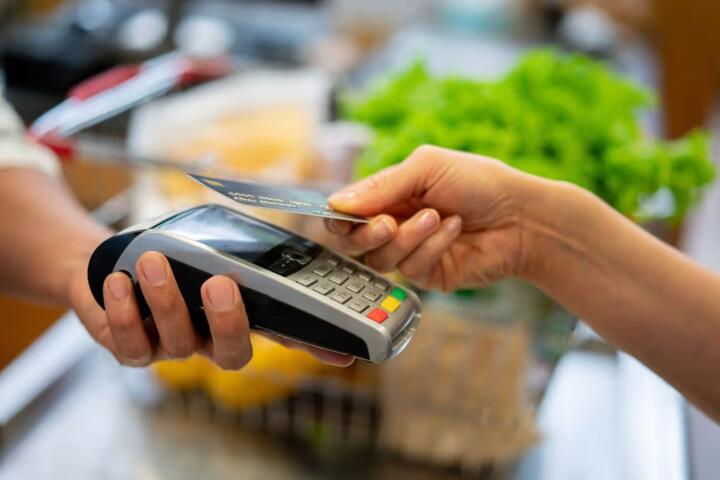
Tap to Pay is a contactless payment method where you hold a card or phone near a payment terminal. The terminal reads a short-range credential, then sends a payment request to the payment network and your bank. The bank decides whether to approve the transaction based on account rules, risk checks, and available funds or credit. In practice, the tap replaces card insertion and magnetic stripe swipes, which changes the data that gets transmitted and the timing of authorization.
Most contactless payments use EMV standards, including EMV Contactless (often referred to as EMVCo specifications). A key feature is that the terminal and card exchange cryptographic data rather than sending a reusable card number in the clear. Many systems also use tokenization, where a token represents your payment credential to reduce exposure if a merchant system is breached.
Pain Points And Myths
People often assume tap-to-pay works like a simple “radio handshake” that always charges the same way. That assumption breaks down because authorization decisions happen at the bank and can include risk scoring, device or card behavior signals, and velocity checks. Another common misunderstanding is that contactless payments always skip verification; in reality, many systems request cardholder verification when limits are reached or when the transaction looks unusual.
Some terminals also require a second step for certain merchants or transaction types, which can feel inconsistent. The biological mechanism angle matters less for the payment itself and more for user behavior: stress and rushed taps increase the chance of tapping the wrong credential, tapping twice, or walking away before the terminal finishes processing. Those behaviors can lead to duplicate attempts, declines, or confusion about whether money moved.
Tap twice can confuse receipts.
Supporting technologies explain the dependencies. The terminal needs a contactless reader (NFC or similar short-range interface), secure element or equivalent cryptographic capability, and a connection to the acquiring processor. The bank needs to validate the cryptogram, check account status, and record the transaction. Payment networks route messages between acquirers and issuers, and scheme rules define message formats, cryptogram validation, and liability handling.
Solutions And Advice
Know What Your Tap Sends
Before troubleshooting, identify whether you are using a physical contactless card, a phone wallet, or a wearable. In practice, the terminal reads a credential identifier and cryptographic proof, not a plain card number. You can confirm which credential you used by checking the last transaction line in your banking app after the tap, which often includes a merchant name and a partial descriptor. This works because issuers record the approved transaction details tied to the credential used.
Check the descriptor after tapping.
When you see “pending” charges, remember that authorization and settlement are different steps. Authorization reserves funds or credit; settlement later finalizes the amount. That timing difference can make it look like money moved twice, especially if you tapped again after a slow terminal response.
Use The Right Verification Mode
Many systems request cardholder verification when a contactless limit is reached or when risk checks trigger it. If your terminal asks for chip-and-PIN, switch to inserting the card and entering your PIN rather than repeatedly tapping. This reduces the chance of repeated authorization attempts that can create multiple pending items. In practice, you may see one pending item clear within a few days, while the final settled charge appears later.
PIN prompts mean extra checks.
Some phone wallets also require biometric or device authentication before the wallet will present the credential to the terminal. If your phone is locked or the wallet requires re-authentication, the tap may fail or prompt you to unlock first.
Watch For Duplicate Tap Attempts
If the terminal is slow, do not tap repeatedly. Wait for the terminal to finish and display an approval or decline message, then check your banking app. This works because each tap can generate a new authorization request, and issuers may approve one while declining another based on risk rules or transaction timing. A mild frustration here is that terminals sometimes show a blank screen for a moment, which makes people tap again.
Wait for the terminal message.
If you already tapped twice, look for two pending authorizations with the same merchant descriptor and similar amounts. Pending items often reverse automatically if they are not settled, but the exact timing depends on the issuer and network.
Confirm Limits And Issuer Rules
Contactless limits vary by country, card scheme, and issuer. A practical approach is to check your issuer’s help page or banking app for “contactless limits” and “verification rules.” This matters because a limit crossing can change the required flow from tap-only to tap-plus-PIN. For example, some UK-issued cards commonly require verification after £100, but other issuers can set different thresholds.
Limits differ across issuers.
If you travel, expect different rules at foreign merchants. Your card may still work, but the verification trigger can change, which affects how long the transaction takes.
Understand Tokenization And Storage
Tokenization replaces your payment credential with a token that a merchant or processor can use without storing the original card number. You can see tokenization in action when your wallet shows a device-specific account identifier rather than your full card details. This reduces exposure if a merchant’s systems are compromised, because the attacker typically cannot use the token as a substitute for your original credential. The trade-off is that support for token-based credentials can vary by merchant and terminal configuration.
Tokens are not your card number.
Case Examples
Declined Tap After A Limit
An anonymized consumer taps a contactless card at a transit kiosk. The terminal shows a decline message, and the banking app later shows a “contactless verification required” style outcome. The consumer tries again and then inserts the card and enters a PIN, which succeeds. The lesson is that contactless limits and verification triggers can change the flow, and repeated taps can create multiple pending attempts.
One tap can trigger a new check.
Phone Wallet Mis-Tap At A Busy Store
An anonymized consumer uses a phone wallet with two payment cards. At a busy checkout, the consumer taps and then taps again because the terminal screen is slow. The banking app shows two pending authorizations for the same merchant descriptor, and one later reverses while the other settles. The lesson is that the second tap may not be a “duplicate charge,” but it can create temporary confusion until settlement completes.
Settlement timing drives the confusion.
Comparison Table And Checklist
| Option | What You Do | What You See | Best For |
|---|---|---|---|
| Contactless Card | Tap card to terminal | Approval or PIN prompt | Quick low-to-mid value buys |
| Phone Wallet | Tap phone after wallet unlock | Approval with device auth | When you want device-level control |
| Chip And PIN | Insert card and enter PIN | Approval after PIN entry | When contactless verification triggers |
Step-by-step checklist for a smooth tap:
- Hold the card or phone still until the terminal finishes the transaction.
- Wait for the approval or decline message before tapping again.
- Check your banking app for the descriptor and whether the charge is pending.
- If you see a verification prompt, switch to chip-and-PIN rather than repeated taps.
- If you see an unexpected merchant, contact your issuer and keep the receipt if available.
Use the checklist when confusion appears.
Common Mistakes
People often blame the payment network when the real issue is user-side behavior. Repeated taps during a slow terminal response can create multiple pending authorizations, which then look like “double charges.” Another mistake is assuming that a pending item must settle immediately; pending authorizations can reverse if the transaction does not complete. A third mistake is ignoring the difference between authorization and settlement when reconciling budgets.
Double taps create duplicate pending items.
Some consumers also misread transaction descriptors. Merchant descriptors can differ from the store’s public name, and they can include location codes or processing descriptors. That mismatch can lead to incorrect dispute claims, which slows resolution. If you dispute, you need to match the exact transaction details shown in your issuer’s records.
FAQ
What Happens After I Tap?
The terminal reads a contactless credential, sends an authorization request through the acquirer and payment network to your issuer, and the issuer approves or declines based on account rules and risk checks. If approved, the merchant later settles the transaction, which finalizes the amount.
Why Did My Tap Decline?
Common causes include reaching a contactless verification threshold, account restrictions, insufficient funds or credit, issuer risk controls, or a terminal connectivity problem. Your banking app often shows a decline reason category, which helps narrow the cause.
Can Someone Charge Me Without My Phone?
Contactless payments require close-range interaction with a terminal and a valid credential presented by your card or device. Risk still exists for lost or stolen credentials, so you should report a lost card or phone quickly so the issuer can block the credential.
Do Contactless Payments Send My Card Number?
In many deployments, the payment uses EMV cryptography and dynamic data, and tokenization can replace the original card number with a token for merchant processing. The exact data elements depend on the issuer, wallet, and scheme rules.
How Long Do Pending Charges Last?
Pending authorizations typically reverse or settle within a few days, but timing varies by issuer and network. If a pending item does not settle after several days, contact your issuer and reference the authorization date and amount.
Author's Insight
Tap to Pay is best understood as a chain of authorization and settlement steps rather than a single “tap event.” The terminal’s job is to read a credential and produce cryptographic proof, while the issuer’s job is to decide approval using account rules and risk controls. Confusion usually comes from the gap between authorization and settlement, which makes pending items appear like completed charges. When you troubleshoot, focus on what your banking app records for that specific tap, not on what the terminal screen showed for a moment.
Key Takeaways
Tap to Pay works through EMV-style cryptographic authorization, then settlement through the merchant’s acquiring bank. Verification rules and contactless limits vary by issuer, so a PIN prompt can appear even when tap usually works. If you see duplicate pending items, wait for settlement or reversal and check the transaction descriptor in your banking app. If you notice an unauthorized tap, contact your issuer promptly and follow their blocking and dispute steps.
Seek professional help if you suspect fraud.
If you have persistent payment failures at multiple terminals, contact your issuer to check account status and contactless settings. For health-related readers, note that payment issues do not change medical risk; the main impact is financial stress, which can affect how people manage prescriptions and appointments. If stress or anxiety is interfering with daily functioning, consider speaking with a qualified healthcare professional.