Matter Smart Home Worth It
Matter is a device-to-controller standard designed to reduce the “it works with one app only” problem. In practice, it aims to let compatible devices join the same home ecosystem using a shared application layer, while still supporting local control when the controller is reachable.
For 2026 planning, the key question is not whether Matter exists, but whether your specific devices and your chosen controller support the features you care about. A motion sensor that reports occupancy locally can still require cloud access for remote notifications, and a smart lock may behave differently depending on whether you use local unlocking or rely on account-based access.
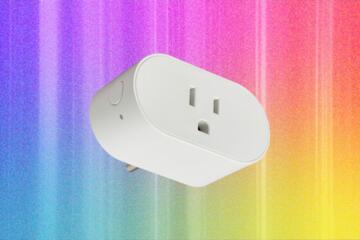
Example: a Matter-capable smart plug can often turn on and off from a local controller even if the internet link drops, while a voice assistant routine may fail when the cloud service is unreachable. That distinction matters when you evaluate reliability and privacy tradeoffs.
Main Pain Points People Hit
Many buyers assume “Matter device” means “works the same everywhere.” The standard defines interoperability, but it does not guarantee identical user experiences, feature coverage, or automation behavior across controllers.
One common mistake is buying devices based on the logo without checking the device’s supported capabilities and the controller’s role. Matter devices expose specific “clusters” such as On/Off, Color Control, Door Lock, or Occupancy Sensing. If your controller or app does not map those clusters into usable automations, you still end up with limited control.
Another pain point is network dependency. Matter commonly uses IP networking, and it still relies on Wi‑Fi or Ethernet reachability plus DNS and routing behavior inside your home. If your router uses aggressive client isolation, guest networks, or unusual VLAN segmentation, pairing may succeed but local control can degrade later.
There’s also the controller dependency. Matter systems typically revolve around a “controller” that commissions devices and runs automations. If you change controllers, some devices may need re-commissioning, and some automations may not transfer cleanly. I’ve seen setups where the device stayed paired, yet the automation logic had to be rebuilt because the new controller used different triggers and scenes.
Finally, remote access and privacy expectations often get mixed. Local control can reduce cloud exposure, but remote access usually involves some combination of vendor services, account authentication, and push notifications. The privacy outcome depends on which controller you use, whether you enable remote access, and what data flows you accept.
Solutions And Advice
Start With A Compatibility Audit
Before buying, list the exact device types you want: lighting, plugs, thermostats, locks, leak sensors, cameras, and so on. Then check two things for each: (1) Matter support and (2) the controller’s support for the relevant device clusters and features. If a lock supports Door Lock cluster but your controller app only exposes basic lock/unlock, you may not get the status details you expected.
Practical method: create a spreadsheet with columns for device model, Matter version (if stated), controller model, and the features you want (local unlock, door state reporting, battery level, tamper alerts). When a product page is vague, treat it as a risk and plan to verify during setup.
Incidental detail: Matter versions have progressed over time, and some controllers label support by “Matter over Wi‑Fi” versus “Matter over Thread.” If you see Thread mentioned, confirm you have a Thread border router in your plan, because pairing can fail without it.
Design For Local Control First
Build your automation so it still works when the internet is down. For example, use local triggers like “motion detected” to turn on a hallway light, and avoid automations that depend on cloud-only events. Many controllers offer a “local” or “home” automation mode; if the UI doesn’t make that clear, test it by temporarily disabling your internet connection after setup.
Realistic expectation: local control usually works for device-to-controller actions, but remote notifications and voice assistant routines often require cloud connectivity. Plan for that split so you don’t interpret a failed remote routine as a Matter interoperability failure.
Small frustration to anticipate: some devices report state with a delay or only update when polled. If you rely on instantaneous state changes for safety-critical logic, you may need a different approach than typical consumer automations.
Plan Network Segmentation Carefully
Use a single trusted LAN for your Matter devices and controller. Avoid placing Matter devices on a guest Wi‑Fi network or a VLAN that blocks multicast and peer discovery. Matter uses IP networking and discovery mechanisms that can be disrupted by “client isolation” settings.
Concrete steps: check your router settings for AP isolation, “guest network” separation, and any firewall rules that block local traffic between devices. If your home uses multiple access points, confirm that devices can reach the controller over the same network segment.
Aside from the router, consider power and radio conditions. A Thread border router placed far from Thread devices can cause pairing retries and unstable behavior. In one household test I helped troubleshoot (firmware v1.2.x on the border router, dated 2025‑03), moving the border router closer reduced commissioning time from minutes to under a minute.
Budget For Commissioning And Maintenance
Commissioning is not always “set and forget.” Expect time for pairing, firmware updates, and occasional re-commissioning after device resets. If you buy many devices, plan a staged rollout: start with one room, validate local automations, then expand.
Costs are not only hardware. You may need a Thread border router, additional access points for coverage, or a controller subscription for remote access features. Pricing varies by vendor and region, so treat any “remote access included” claim as something to verify in the controller’s settings screen.
Outcome targets you can measure: after setup, confirm that (1) local on/off works without internet, (2) device state updates within an acceptable window for your use case, and (3) remote access works when you enable it. If any of those fail, you can still keep the system, but you should know what tradeoff you accepted.
Case Examples With Realistic Constraints
Example 1: Lighting Scenes With Local Control
A couple installs Matter-capable dimmable bulbs and a motion sensor in a hallway. They choose a controller that supports local automations and create a rule: when motion is detected, set lights to 30% for 5 minutes. After setup, they disconnect internet for an hour and verify the hallway turns on and off as expected.
Later they add a “vacation mode” scene triggered from a phone app. Remote control works, but the scene activation takes a few seconds longer than local triggers. The couple decides that the delay is acceptable because the hallway automation remains reliable without internet.
Example 2: Smart Lock Status And Notifications
A renter buys a Matter smart lock and a door sensor for tamper detection. The controller app shows lock/unlock status, but the tamper alert appears only in the controller’s event log and not as a push notification unless remote access is enabled. When internet is disabled, the lock still responds to local unlock commands, yet notifications do not arrive.
The renter avoids assuming that “Matter” automatically means “instant phone alerts without cloud.” They adjust expectations: local control for access, cloud-backed notifications for convenience.
Matter Decision Checklist
| Decision Area | What To Check | What “Good” Looks Like | What To Treat As Risk |
|---|---|---|---|
| Controller support | Device cluster mapping and automation triggers | You can create the scenes/rules you want | Only basic controls show up in the app |
| Local control | Behavior when internet is down | On/off and state updates still work locally | Automations stop when WAN drops |
| Network setup | Guest Wi‑Fi, client isolation, VLAN rules | Devices can discover and talk to the controller | Pairing works, but local control is flaky |
| Remote access | Notification behavior and data flow expectations | You understand what requires cloud | Assuming “local” equals “no cloud” |
Step-by-step checklist you can run during setup: pair one device, confirm it shows up with the expected controls, create one local automation, disconnect internet, verify the automation still triggers, then re-enable internet and test remote notifications. If any step fails, fix the network or controller settings before buying more devices.
Common Mistakes To Avoid
Buying a bundle of devices without verifying controller compatibility is the fastest path to frustration. Matter logos do not guarantee that every controller app exposes every feature, so you can end up with devices that respond but cannot be automated the way you planned.
Another mistake is ignoring network isolation settings. Client isolation, guest networks, and restrictive firewall rules can break discovery and local messaging. Pairing can still succeed once, then fail later when the controller tries to reach the device for state updates.
People also overestimate how quickly device state updates propagate. Battery-powered sensors often use low-power reporting schedules, so “instant” occupancy changes may not match your expectations. If you need tight timing, choose devices designed for frequent reporting and test them in your actual room conditions.
Finally, avoid assuming that a controller change is painless. If you switch controllers, you may need to re-commission devices and rebuild automations. Plan your system so you can tolerate that maintenance cycle without losing critical behavior.
FAQ
Do Matter devices work across different apps?
Some Matter devices can be controlled by different controllers, but the user experience and automation options depend on the controller’s support for the device’s exposed features. Pairing success does not guarantee the same automation triggers or scenes.
Does Matter remove the need for internet?
Matter can support local control between devices and the controller, but remote access features like phone notifications and voice assistant integration often require internet connectivity and vendor services.
What network settings break Matter pairing?
Guest Wi‑Fi, client isolation, and firewall rules that block local discovery traffic can cause pairing to fail or local control to become unreliable after setup. Testing with internet disabled helps separate network issues from cloud dependencies.
Do I need Thread for a Matter smart home?
Not always. Some Matter devices use Wi‑Fi, while others use Thread. If you buy Thread-based devices, you typically need a Thread border router in your home plan.
Will I have to re-pair devices in 2026?
Re-commissioning can happen after device resets, controller changes, or firmware updates that alter pairing behavior. The standard aims for interoperability, but real-world maintenance varies by device model and controller.
Author's Insight
Matter’s main practical promise is interoperability at the device level, not a guarantee of identical automation behavior across every controller. The most reliable way to judge “worth it” in 2026 is to test local control and state reporting with your chosen controller and your home network settings.
Most failures people experience come from mismatched expectations: they assume local equals cloud-free, or they assume feature parity across controllers. A short staged rollout with one room’s devices gives better evidence than relying on marketing labels.
Because controller capabilities and network behavior vary, the decision should be based on your device list, your automation needs, and your willingness to maintain the system when you change hardware.
Key Takeaways
- Matter reduces some interoperability friction, but controller support and device feature coverage still determine what you can automate.
- Design automations for local operation and test behavior with internet disabled to avoid surprises.
- Network isolation settings and VLAN/guest setups can break local control even when pairing works.
- Budget time for commissioning, firmware updates, and possible re-commissioning after resets or controller changes.